About the game
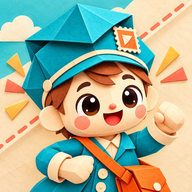
Creasewick is a tiny paper city, and someone has folded it into an envelope by mistake. At sunrise it goes into the Sorter. Pip, the city's smallest postal worker, runs to the Cancellation Stamp to deliver it home, and you fold the city around him: 24 levels across four districts, a bonus game after every two levels (Tall Order, Air Mail and Stamp Rush), four special deliveries, a Daily Delivery and Endless Sorting.
The title screen and the delivery map are upright. Turn your phone sideways when the game asks: runs and bonus games are played in landscape, so you can see more of the street ahead.
Controls
- Hold anywhere on the screen to fold the paper ahead of Pip. Let go to open it again.
- Tap once or swipe up to jump the barrels, parcels and flowerpots rolling at Pip.
- When something is about to roll into Pip, the jump comes the moment your thumb touches the screen.
- Pip runs on his own. Each piece of the city folds its own way (bridges, ramps, lifts, catches, shutters, cranes and more); a short hint shows the first time you meet one.
How to play
- Pip can only cross where paper really meets paper. Coral pieces with zigzag edges are dangerous: keep him clear of them.
- Each level gives you three lives. A retry starts again at the last checkpoint; after the third loss, NEW RUN starts the level again.
- Rescue the residents along the way to open the special deliveries, and earn three stamps per level: delivered, every resident rescued, and a clean run within par.
- Practice any rule you have met from the map, and earn satchel colours, paper patterns and street decorations. They are looks only.
Common questions
Where are the settings? In the pause menu during play, and on the map under More deliveries.
Is there help if a part is too hard? Yes. In Settings you can turn on a slower speed or longer warnings. Runs with an assist keep their own records.
No sound? Check that Sound and Music are on in Settings and that your phone isn't on silent.
Where is my progress saved? On your iPhone only. Deleting the app deletes your progress. There are no accounts and no cloud saves.
Why does it ask me to turn my phone? Runs are played sideways. Turn your phone on its side when Pip shows you how; the menus turn back upright on their own. This works with Portrait Orientation Lock on too: hold the phone sideways for a moment and the game turns.
I swiped off the edge of the screen and the game didn't close. That's on purpose: during play the first swipe from an edge only shows the home bar, so a slip of the thumb can't end your run. Swipe again to leave. Leaving pauses the game, and it waits for you.
Does it need the internet? No. Please Do Not Fold plays fully offline. It has no ads and no in-app purchases.